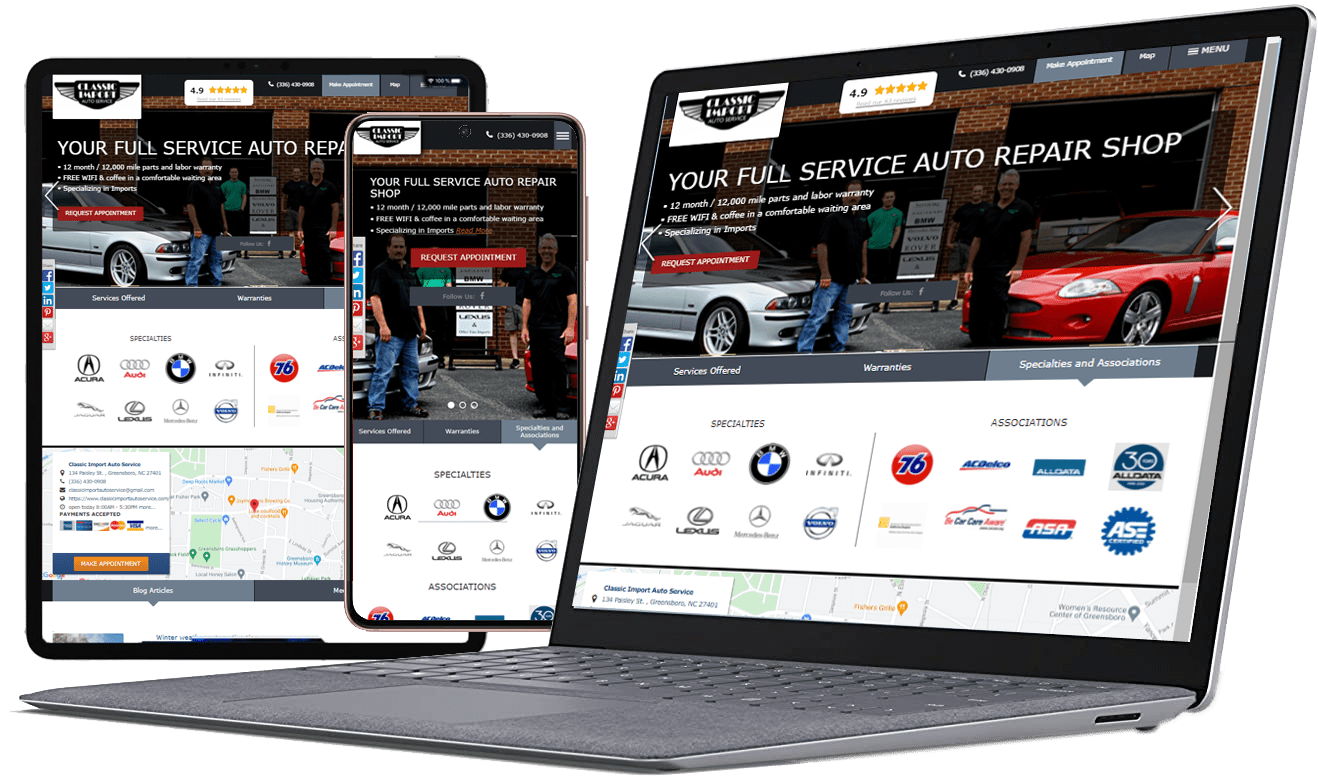
A potential customer may find your shop through a map listing, a search result, or a recommendation—but a confusing website can stop the journey before an appointment is made. Online booking reduces friction by letting drivers express what they need without having to call during a busy workday.
The best booking experience does not need to be complicated. It needs to be clear, mobile-friendly, and connected to a reliable process for confirming the request.
Design the booking path around the customer
Put the next step where people expect it
Place a clear “Request an Appointment” or “Book a Visit” action on service pages and in the mobile navigation. Avoid competing calls to action that make customers guess what to do next.
Ask only for useful information
Collect enough detail to route the request—such as name, contact method, vehicle, requested service, and preferred time—without creating a long form. Explain which fields are required and what happens after submission.
Set expectations
If the form submits an appointment request rather than confirming a time instantly, say so. Tell customers when the shop will respond and what to do if the vehicle has an urgent safety issue. Do not imply a confirmed booking until the shop has confirmed it.
Make mobile usability a priority
Use readable labels, large touch targets, sensible field types, and clear error messages. Test the entire flow on a phone, including confirmation screens and notification emails.
Follow up consistently
A submitted form is only the beginning. Assign ownership for reviewing requests, confirming appointments, and contacting customers when information is missing. Service-Intel CRM can support customer follow-up and communications; see [SI CRM].
Measure the booking funnel
Track how many visitors view service pages, click the booking action, submit a request, and ultimately arrive for service. Test form notifications and confirm that each lead reaches the right person. Where analytics is used, avoid counting duplicate submissions as separate leads.
Service-Intel WEB offers website and appointment-related features for auto repair shops. Visit SI WEB to review its approach to automotive websites.
Frequently asked questions
- Should an auto repair shop offer online booking or phone appointments?
Both can be useful. Online requests serve customers who prefer digital convenience, while phone calls help with complex concerns or questions that need discussion. Offer clear options and make sure each channel is monitored. - Does an appointment request form need to show live availability?
Not necessarily. A request form can work when staff confirms the time afterward. Be explicit about whether the time is requested or confirmed, and respond promptly. - What information should a booking form collect?
Collect only what the shop needs to identify the customer, vehicle, requested service, and preferred time. Avoid asking for unnecessary personal details. - How do we reduce abandoned forms?
Keep the form short, explain what happens next, optimize it for mobile, fix validation errors, and avoid forcing account creation unless there is a clear reason. - How can we tell if online booking generates revenue?
Connect requests to confirmed appointments and completed repair orders where possible. Track form submissions as leads, but do not treat every submission as a completed sale.
Turn website visits into real conversations
A strong booking experience respects the customer’s time and gives your team a dependable follow-up process. Explore Service-Intel WEB and SI CRM to see how website acquisition and customer retention can work together.