A website can attract visitors and still generate very few calls, appointment requests, or estimate inquiries. For an auto repair shop, that gap often comes down to friction: people cannot quickly tell whether the shop handles their problem, where it is located, how to contact the team, or what will happen after they reach out.
Improving conversion does not always require a complete redesign. Start by reviewing the customer journey on a phone, identifying unanswered questions, and making the next step obvious. The best changes remove uncertainty and make it easier for a potential customer to contact the shop.
Make the first screen answer the essentials
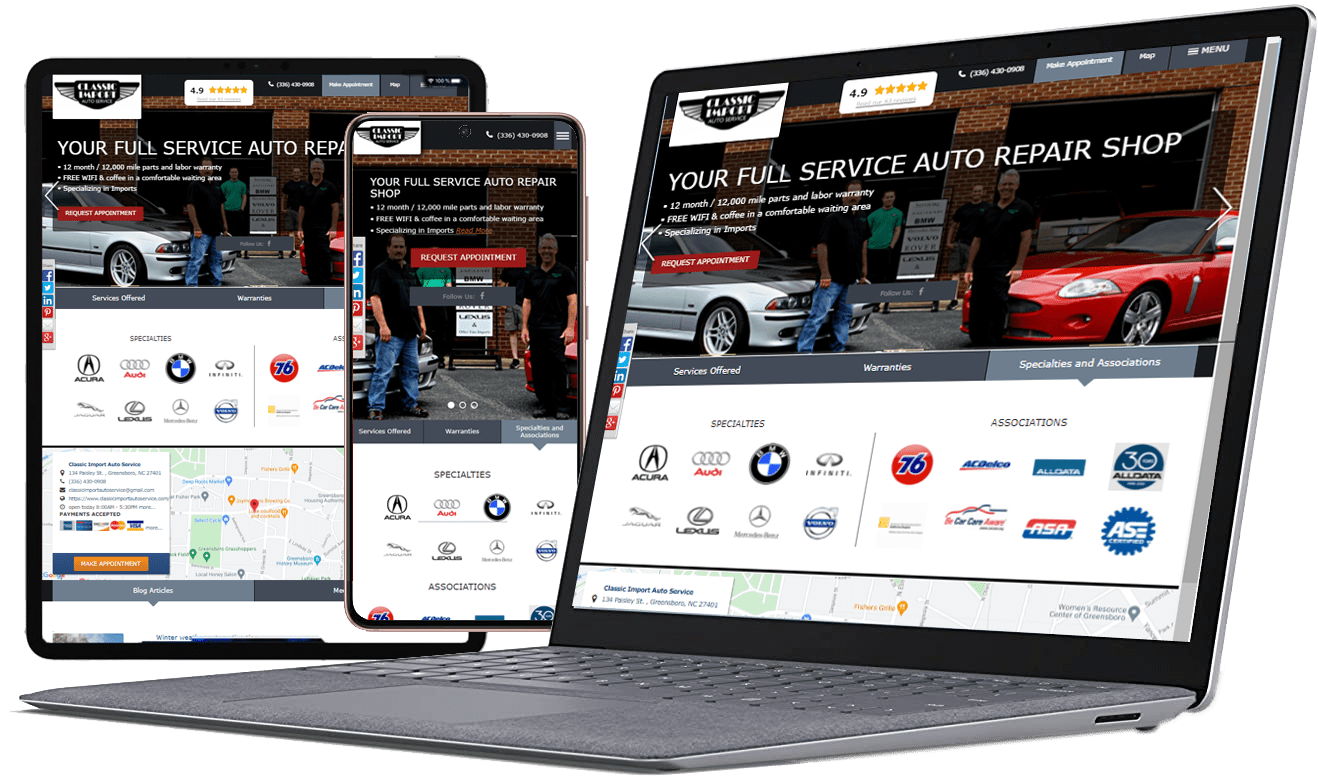
When someone lands on your website, they should quickly understand what services you offer, where you operate, and how to contact you. Use a clear headline, a concise explanation, and a visible call to action such as “Call the Shop,” “Request an Appointment,” or “Ask for an Estimate.” Avoid vague button labels that do not tell visitors what will happen next.
Keep important contact information easy to find on every key page. A phone number should be tappable on mobile, and the address or service area should be clear. If the business works by appointment or has limited walk-in availability, explain that before the visitor commits.
Prioritize the mobile experience
Many customers will search for a repair shop while away from a desktop computer. Check your site on common phone sizes and test the actual path from landing page to contact. Look for buttons that are too small, overlapping elements, slow-loading images, forms that require unnecessary typing, and menus that hide key information.
Keep forms focused. Ask only for details needed to respond, such as name, contact method, vehicle or service concern, and preferred timing where relevant. Explain what happens after submission and when the customer can expect a reply. If the form fails, show a useful error and provide an alternative way to contact the shop.
Build service pages around customer questions
A single generic services page may not address the specific concern that brought a visitor to your site. Where useful, create focused pages for major services, vehicle types, or service areas. Explain the symptoms or situations the service addresses, what the process generally involves, and how customers can arrange an assessment.
Do not create thin pages that simply repeat a keyword with a different suburb name. Each page should offer genuinely useful, locally accurate information. Include service limitations, relevant qualifications, and realistic expectations where appropriate. Internal links can guide visitors from a service explanation to contact details, booking options, or related educational content.
Establish trust before asking for a booking
People want evidence that a shop is credible. Provide accurate business details, real photos, staff or technician information where appropriate, relevant qualifications, clear policies, and testimonials or reviews used in accordance with platform rules. Keep all claims truthful and up to date. If you show warranties, pricing examples, or service guarantees, make the terms easy to understand.
Consistency matters. Business name, address, phone number, opening hours, and service area should match across the website and major business listings. Outdated hours or conflicting contact details can cause customers to abandon the site—or arrive when the shop is unavailable.
Improve local search visibility
Local SEO helps people find the shop when they search for nearby services. Use descriptive page titles and headings, maintain a complete and accurate Google Business Profile, and ensure your website clearly identifies the areas you serve. Add useful information about services and location rather than repeating city names unnaturally.
Technical basics also matter: make sure important pages can be crawled and indexed, use a sensible internal linking structure, and fix broken links or redirect problems. Structured data may help search engines interpret business information when implemented correctly, but it does not guarantee enhanced search results. Review performance in search tools and focus on changes that help real customers, not just checklist scores.
Reduce friction in booking and inquiry forms
A booking tool should be easy to use and match the shop’s actual availability. If online booking is not possible, offer a clear inquiry form or call option rather than displaying a button that leads nowhere. Avoid asking visitors to create an account unless it is genuinely necessary.
Set expectations after a submission. A confirmation message should tell the visitor whether the request is an appointment or simply an inquiry, and explain when the team will respond. Make sure submissions reach the right inbox and test notifications regularly. A polished form is not useful if the shop never receives the request.
Use analytics to locate the problem
Track meaningful actions such as phone clicks, form submissions, booking completions, and visits to important service pages. Compare these actions with traffic sources and landing pages to see where visitors are dropping off. Make sure analytics events are configured correctly and avoid counting duplicate events as separate leads.
Review results over a reasonable period and consider the context. A page with fewer visitors may generate more qualified inquiries than a high-traffic page with poor-fit visitors. Measure lead quality and completed appointments where possible, not just raw form counts. Change one major element at a time when practical so you can better understand what affected the results.
Keep content current and useful
Review opening hours, service descriptions, staff information, offers, and booking instructions regularly. Add educational articles that answer common customer questions, then link them to relevant service pages. Helpful content can build trust before a visitor is ready to contact the shop, especially when it explains maintenance, repair warning signs, or how to prepare for a visit.
Avoid publishing AI-generated or generic content without checking it for accuracy and local relevance. Every page should answer a real question or support a clear customer action.
Frequently asked questions
- Why do visitors leave an auto repair website without booking?
Common reasons include unclear services, missing contact details, poor mobile usability, slow pages, complicated forms, low trust, and uncertainty about the next step. Analytics and user testing can help identify which issue matters most. - Does a repair shop need online booking?
Not every shop needs full online scheduling. A reliable inquiry form, visible phone number, and clear response expectations may be enough, provided the process matches how the shop actually operates. - What should be included on an auto repair service page?
Explain the service, common reasons a customer might need it, the general process, relevant limitations, service area, and a clear contact or booking action. Keep claims accurate and avoid keyword-stuffed copy. - How can I measure website conversions?
Track actions such as calls, form submissions, and completed bookings. Verify event tracking and assess lead quality where possible, rather than relying on traffic or button clicks alone. - Will better SEO automatically increase bookings?
Better visibility can bring more relevant visitors, but bookings also depend on the offer, trust, usability, availability, and response process. SEO should work alongside conversion improvements.
Turn website visits into clear next steps
A high-performing website helps customers understand the shop, trust what they see, and contact the team without unnecessary effort. Explore Service-Intel WEB and the Service-Intel blog for more information about improving your digital presence.