AI chatbots are becoming a common option for businesses that want to answer routine questions and help visitors find information outside normal office hours. For an auto repair shop, a chatbot may be useful for explaining opening hours, listing services, collecting inquiry details, or directing customers to a booking page. But it is not automatically the right solution for every business.
Before adding one, identify the questions customers repeatedly ask and decide which of them can be answered accurately without a staff member. The goal is to reduce friction and support the customer experience—not to put an unreliable layer between a driver and the shop.
Choose a narrow first use case
Start with a small, well-defined purpose. A chatbot might answer questions about opening hours, service areas, accepted appointment methods, or how to request an estimate. It could also collect a name and preferred contact method before passing the inquiry to staff, provided the collection process is transparent and secure.
Avoid asking a chatbot to diagnose mechanical problems or promise that a vehicle is safe to drive. Vehicle symptoms can have many causes, and a text conversation is not a substitute for a qualified inspection. For safety-related concerns, the chatbot should direct the visitor to appropriate professional assistance or emergency guidance rather than improvising a diagnosis.
Keep answers grounded in approved information
The chatbot should use current, business-approved content. Prepare a knowledge base covering services, locations, opening hours, contact methods, policies, and common questions. Assign someone to review the content when prices, hours, or services change.
Test common questions in different wording, including spelling mistakes and vague requests. Check whether the chatbot invents prices, guarantees appointment availability, or gives inaccurate information about services. If it cannot answer confidently, it should say so and offer a route to a person.
Do not allow the chatbot to promise a booking unless it is connected to a scheduling system that confirms availability. If it only collects an inquiry, label the result clearly as a request rather than a confirmed appointment.
Make it easy to reach a human
Customers should not be trapped in an automated conversation. Provide a visible way to call, email, submit a form, or request staff follow-up. Define when a conversation should be escalated—for example, a complaint, a billing dispute, a safety concern, a complex repair question, or a request the bot cannot answer.
The handoff should preserve useful context with the customer’s permission so they do not have to repeat every detail. Make sure the team knows where chatbot inquiries arrive and who is responsible for responding. A chatbot that collects leads but leaves them unanswered can harm trust instead of improving it.
Protect privacy and be transparent
Tell visitors when they are interacting with an AI system. Collect only the information needed for the stated purpose, explain how it will be used, and avoid requesting sensitive details in a public chat. Review the chatbot provider’s data handling, retention, access controls, security practices, and contractual terms before deployment.
Privacy requirements depend on the business location, customer base, and data being collected. Get appropriate legal or compliance advice where needed. Do not assume that a vendor’s default settings meet every obligation. If conversations are stored or used to improve an AI model, understand those settings and disclose them as required.
Integrate the chatbot with existing workflows
A chatbot becomes more useful when its handoff fits the shop’s existing process. Determine whether inquiries should go to email, a CRM, a shop management platform, or a booking tool. Check what information can be transferred, whether duplicates may be created, and whether staff can identify the original source of the inquiry.
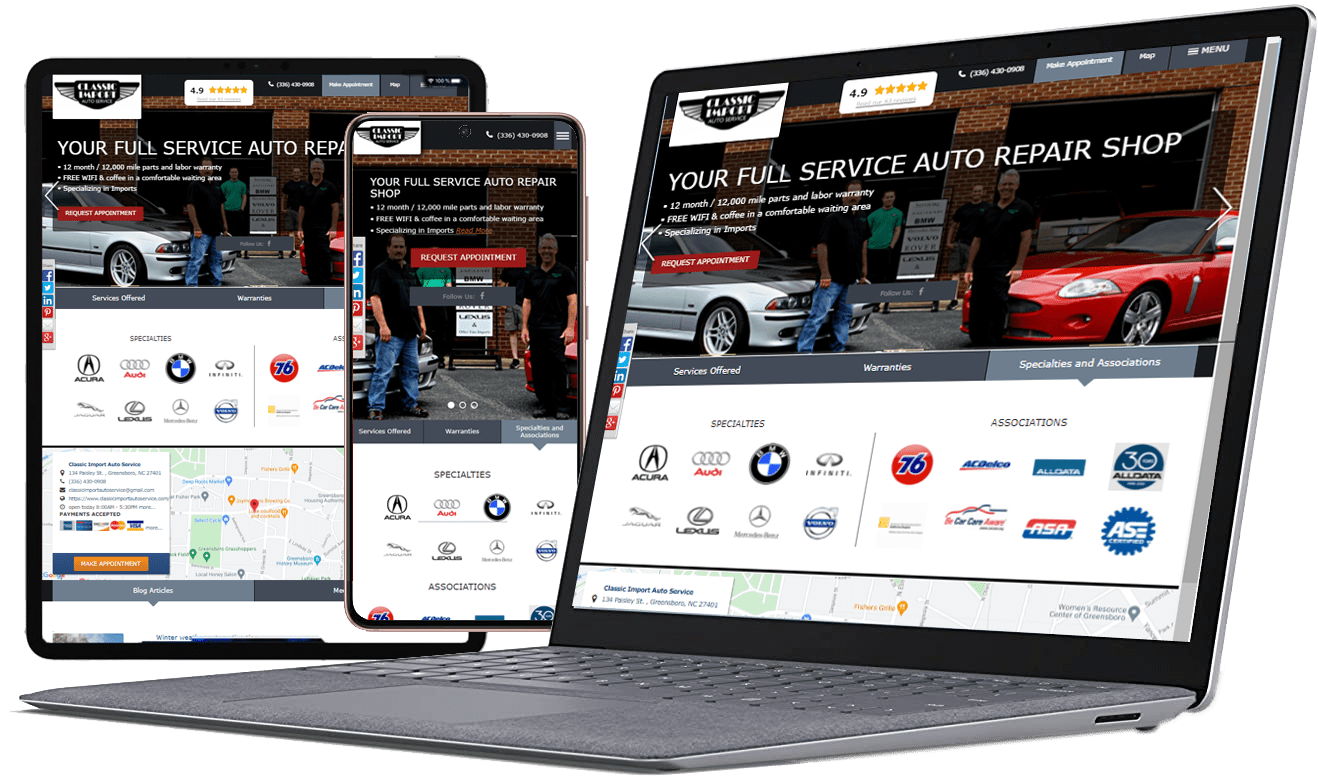
Do not add an integration simply because it is available. If a connection introduces unreliable data or extra manual work, a simpler workflow may be better. Review the Service-Intel WEB page to learn about the website offering, and confirm specific chatbot or integration capabilities directly before making product claims.
Design for accessibility and mobile use
The chatbot should not cover essential content, block the phone number, or make the site difficult to use on a small screen. Test keyboard navigation, readable text, focus behavior, and the ability to close or minimize the chat. Visitors should still be able to browse the website and use other contact methods.
Set expectations for response time. If the chatbot is available around the clock but staff only respond during business hours, explain that distinction. This avoids implying that a person is monitoring the conversation when they are not.
Measure results and monitor failure
Set success metrics before launch. Useful measures may include the percentage of conversations that receive a useful answer, qualified inquiries generated, successful handoffs, booking completions, unanswered questions, customer complaints, and staff time spent correcting errors. A high conversation count does not prove the chatbot is helping.
Review conversation samples regularly while respecting privacy and access rules. Update answers when the bot repeatedly fails on the same question. Pause or narrow its scope if it gives unsafe, misleading, or outdated information. Assign an owner who is responsible for quality, not just installation.
Compare the cost with simpler alternatives
A chatbot may not be necessary if customers mainly need a phone number, a clear service list, or a straightforward inquiry form. Improve those basics first. Compare subscription costs, setup time, maintenance, integration fees, and staff review time with the expected benefit.
Consider a limited pilot on a small portion of the website before rolling it out everywhere. Ask staff whether the tool is reducing repetitive questions or creating extra work. Use customer feedback and actual conversion data to decide whether to expand, adjust, or remove it.
Frequently asked questions
- Can an AI chatbot book repair appointments?
Only if it is connected to a scheduling system that can accurately check availability and confirm bookings. Otherwise, it should clearly collect an inquiry or booking request without presenting it as confirmed. - Can a chatbot diagnose a car problem?
It should not replace a professional inspection or present uncertain suggestions as a diagnosis. It can collect basic information and direct customers to an appropriate next step, with careful boundaries for safety-related concerns. - Will an AI chatbot improve website conversions?
It may help when visitors have routine questions or need assistance finding information, but results depend on implementation, accuracy, and customer needs. Measure qualified leads and completed actions rather than conversation volume alone. - What customer data should a chatbot collect?
Only what is necessary to handle the request, with transparent notice and appropriate safeguards. Avoid collecting sensitive information unnecessarily and review provider data practices before launch. - How often should chatbot content be reviewed?
Review it before launch, whenever business information changes, and regularly after deployment. Monitor failed answers, complaints, and handoff issues to identify when updates are needed.
Use AI where it genuinely helps
An AI chatbot can support a repair shop when its role is limited, its information is accurate, and customers can reach a person easily. Start with a real customer need, protect personal information, monitor performance, and be prepared to adjust the tool based on evidence. Explore Service-Intel WEB and browse the Service-Intel blog for more website guidance.